
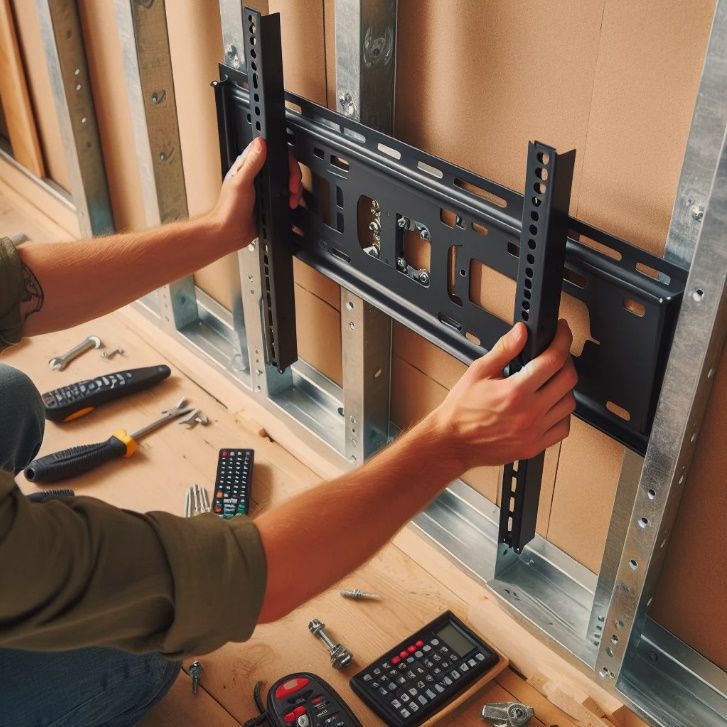

Installing a big TV in NYC is a little different than doing it in a suburban house. Apartments often have thinner walls, quirky construction (plaster, masonry, metal studs), strict building rules, tight hallways, and neighbors on the other side of the wall. The good news: with the right plan, you can get a rock-solid mount, clean cable management, and a setup that looks “built-in” instead of “renter special.”
1) Start with building rules (yes, even for a TV)
If you live in a co-op or condo, your building may have house rules about what you can mount, which walls you can use, and whether you need approval—especially if the wall is shared with a neighbor or you’re doing any kind of in-wall work. Many NYC buildings treat wall work as an “alteration” (even small ones) depending on the scope, so it’s smart to check your building’s policies before you drill.
Practical tip: ask your super or management office three quick questions:
- Is TV mounting allowed on this wall?
- Do you require a licensed/insured contractor?
- Is in-wall cable concealment allowed?
2) Pick the right spot: structure, viewing comfort, and noise
For a large TV (65–85″), avoid mounting on a flimsy partition if you can. Exterior walls and some “core” walls are often sturdier, but NYC construction varies wildly by building age. Also think about your neighbors: a soundbar on a shared wall can transmit bass. If your only option is a shared wall, consider adding a small isolation pad behind a soundbar mount or using lower-bass night modes.
Viewing comfort matters too. A common mistake is mounting too high because it “looks cool.” In most living rooms, you want your eyes to land around the lower third of the screen when seated.
3) Identify your wall type (this changes everything)
NYC apartments commonly have:
- Drywall over wood studs (typical newer builds)
- Drywall over metal studs (very common in high-rises)
- Plaster over lath (pre-war)
- Masonry or concrete (some pre-war and many high-rises)
A stud finder helps, but on plaster or masonry it can be unreliable. If you can’t confidently locate studs (or the wall feels “hollow but weird”), consider a pro—large TVs are heavy, and the cost of a mistake is usually far higher than installation.
4) Choose a mount that matches your TV and your lifestyle
Check two things:
- VESA pattern (the bolt pattern on the back of the TV)
- Weight rating (mount should exceed your TV’s weight comfortably)
Then choose the style:
- Fixed: slimmest look, least flexible
- Tilt: great if the TV is a bit higher than ideal (reduces glare)
- Full-motion: best for corner installs or multi-angle viewing, but it creates more leverage on the wall—your attachment needs to be perfect.
For big TVs in apartments, tilt mounts are a popular “safe middle.”
5) Use the right fasteners (and don’t gamble)
For a large TV, the safest approach is anchoring into studs (wood or metal) or appropriate masonry anchors if it’s concrete/brick. If you’re tempted to use only drywall anchors for a 75″ TV: don’t.
If you have metal studs, you usually need hardware designed for that situation (and the technique matters). A full-motion mount on metal studs can be especially demanding because the arm multiplies force.
6) Plan cable management the NYC-safe way
Everyone wants the “no wires” look, but here’s the key: do not run the TV’s power cord inside the wall. The National Electrical Code (NEC) generally prohibits flexible cords from being run through holes in walls or concealed in walls.
So what should you do instead?
- On-wall raceway (wire molding): fastest, renter-friendly, clean if painted to match.
- In-wall kit (proper power + low-voltage pass-through): best look, but may require permission and careful installation. Many purpose-built systems exist specifically because simply dropping a power cord behind drywall is not code-compliant.
Also consider where your devices will live. If your cable box/Apple TV/console sits across the room, you’ll need longer HDMI runs—or you can place a small media shelf below the TV to keep everything neat.
7) Have a two-person lift plan (big TVs are awkward)
Even if the TV isn’t outrageously heavy, it’s large, fragile, and hard to control in tight NYC spaces. Clear the area, protect floors, and have a second person ready. If you’re in an elevator building, measure the TV box vs. elevator dimensions before delivery day.
8) Do a final safety and “finish” checklist
Before you call it done:
- Tug-test the mount gently (no wobble).
- Confirm all screws are tight and seated.
- Check level (small tilt looks huge on a 75″).
- Verify ventilation clearance (some TVs need space).
- Hide and label cables for future troubleshooting.
When to hire a pro
If you have plaster walls, metal studs, masonry, a fireplace mount, or you want in-wall cable concealment, hiring a pro often saves time, patching, and stress—especially in NYC where wall surprises are common.
If you want, tell me your TV size and what kind of wall you have (drywall, plaster, brick/concrete, or “not sure”), and I’ll recommend the safest mount type and cable-management option for your specific setup.

Comments are closed.